I am not one of the smartest students in my class because I lack focus on academic assignments. I never tried to dig deeper to find the real reason behind why I couldn’t concentrate as much as I needed to.
I don’t know if there would be any benefit to me in doing so at this point, but I know for sure that I never enjoyed learning at school and university.
I wish I had access to a tool like NotebookLM in the past. That would never happen at the time, but I can create mind maps to make learning more fun and interesting.
That might help.
Even though I finished my university degree many years ago, I still learn every day, and I don’t repeat the same mistakes.
I make mind maps, but not with pen and paper. I use SimpleMind, a mind mapping app, to quickly digest topics and organize my chaotic thoughts.
Google’s NotebookLM makes it easy to understand complex ideas
Turn notes into mind maps with NotebookLM
SimpleMind gives me the easiest way to create and access mind maps
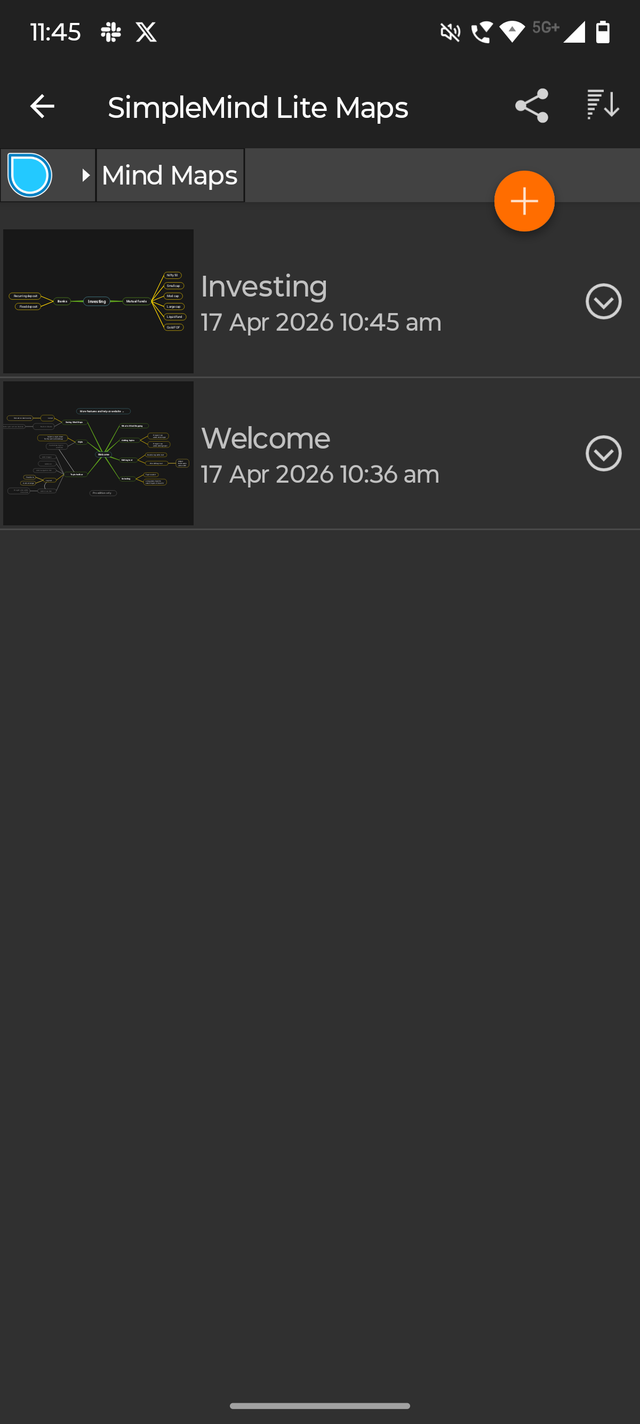

I’ve tested several mind mapping apps on Android and iOS, and some require a monthly fee to create and access mind maps.
SimpleMind’s UI doesn’t feel as smooth as most of its competitors I’ve tested. I use the Lite version of the SimpleMind app, which is free for everyone, so I don’t mind that the UI is a bit rough.
SimpleMind Lite compensates for UI issues with simplicity and ease of use. It’s easy to get started and create your first mind map.
After installing the app, I just signed in with my Gmail address, and I was ready to go.
After typing the title and central theme (or root node) of the mind map, you can type the main topic, subtopics (or child nodes) to summarize your main ideas.
To keep the map easy to scan and concise, all my nodes consist of one or more words.
You can access everything you’ve created by tapping the hamburger menu in the top left corner of the app.
That’s how simple the SimpleMind Lite application is. However, simple does not mean modest.
The Lite version of the app includes several handy features that take the mind mapping experience to a whole new level.
SimpleMind Lite offers powerful customization features for a free app
SimpleMind Lite does all the basics right, and that’s a pretty strong reason to use this app if you like using mind maps.
When I first installed this app on my Android phone, I was only expecting basic features. But it offers more than I expected, even in the free tier.
The SimpleMind Lite application has as many as 17 style sheets. Each mind map is different, and you can add some personality to each one by using different style sheets to map out different sets of ideas.
I keep changing the style of the mind maps I create. It makes my mind maps less boring once they get old.
While I love playing with it, it’s not my favorite feature of the SimpleMind Lite app. On the other hand, I’m a fan of the Brainstorm feature, and I appreciate that the app includes it in its free plan.
Brainstorming tools are very powerful, even for beginners who are just starting to use mind maps.
The most difficult challenge I face when creating mind maps is trying to understand their structure. I also worry too much about which idea it is.
With the Brainstorm tool, you have the option to quickly throw out ideas.
Once you’ve added all your messy thoughts to the canvas, it’s much easier to connect them all using the drag-and-drop capabilities of the SimpleMind app.
This almost eliminates the possibility of falling victim to the problem of overthinking, which is very common, especially among beginners.
Spit it all onto the canvas, and organize the thoughts later.
I also like the ability to add little highlights to mind map topics and subtopics.
While the app allows users to add highlights to the root node, I use it primarily to draw attention back to the center when my mind map gets too complicated.
This is why I apply shadows everywhere in the mind map, except the main node. All I do is select a branch, tap the three-dot menu, and apply the effect.
Even its advanced customization features feel easy to use, so someone like me, who is just starting to use mind maps, can use it.
SimpleMind Lite is my favorite way to untangle messy ideas
No other mind mapping app gets to the point as quickly as SimpleMind, and that’s probably why it immediately caught my attention.
I love its no-nonsense approach, and once I start typing random thoughts, it starts to make sense quickly when I use some of the best features in the SimpleMind app.
SimpleMind is the only way I organize my chaotic thoughts.
PakarPBN
A Private Blog Network (PBN) is a collection of websites that are controlled by a single individual or organization and used primarily to build backlinks to a “money site” in order to influence its ranking in search engines such as Google. The core idea behind a PBN is based on the importance of backlinks in Google’s ranking algorithm. Since Google views backlinks as signals of authority and trust, some website owners attempt to artificially create these signals through a controlled network of sites.
In a typical PBN setup, the owner acquires expired or aged domains that already have existing authority, backlinks, and history. These domains are rebuilt with new content and hosted separately, often using different IP addresses, hosting providers, themes, and ownership details to make them appear unrelated. Within the content published on these sites, links are strategically placed that point to the main website the owner wants to rank higher. By doing this, the owner attempts to pass link equity (also known as “link juice”) from the PBN sites to the target website.
The purpose of a PBN is to give the impression that the target website is naturally earning links from multiple independent sources. If done effectively, this can temporarily improve keyword rankings, increase organic visibility, and drive more traffic from search results.